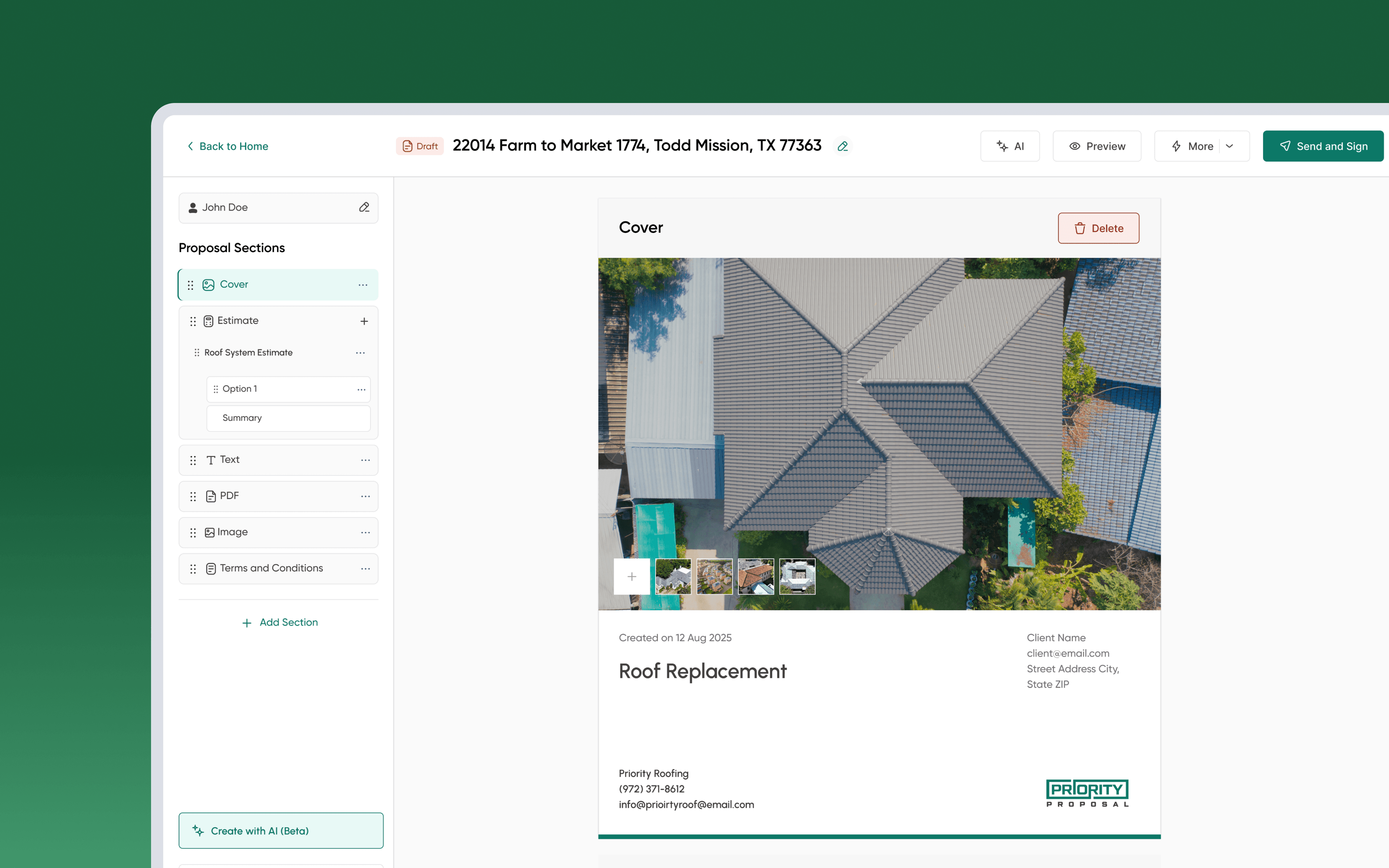
Projects Roofing CRM Job Management
Turning the Job Into an Operational Command Center
The first version of the Job Module replaced three disconnected tools with a single job record. Once it was live, we went back to the people using it every day, sales, back office, project managers, to see what was working and what wasn't. Their feedback pointed to a clear next step: turn the Job page from a record you read into the command center you run a job from.
- Company
- Priority Roofing (USA)
- Timeline
- Jun 2025 - 3 weeks
- Team
- Developers, Stakeholders, Tester, Product Designer
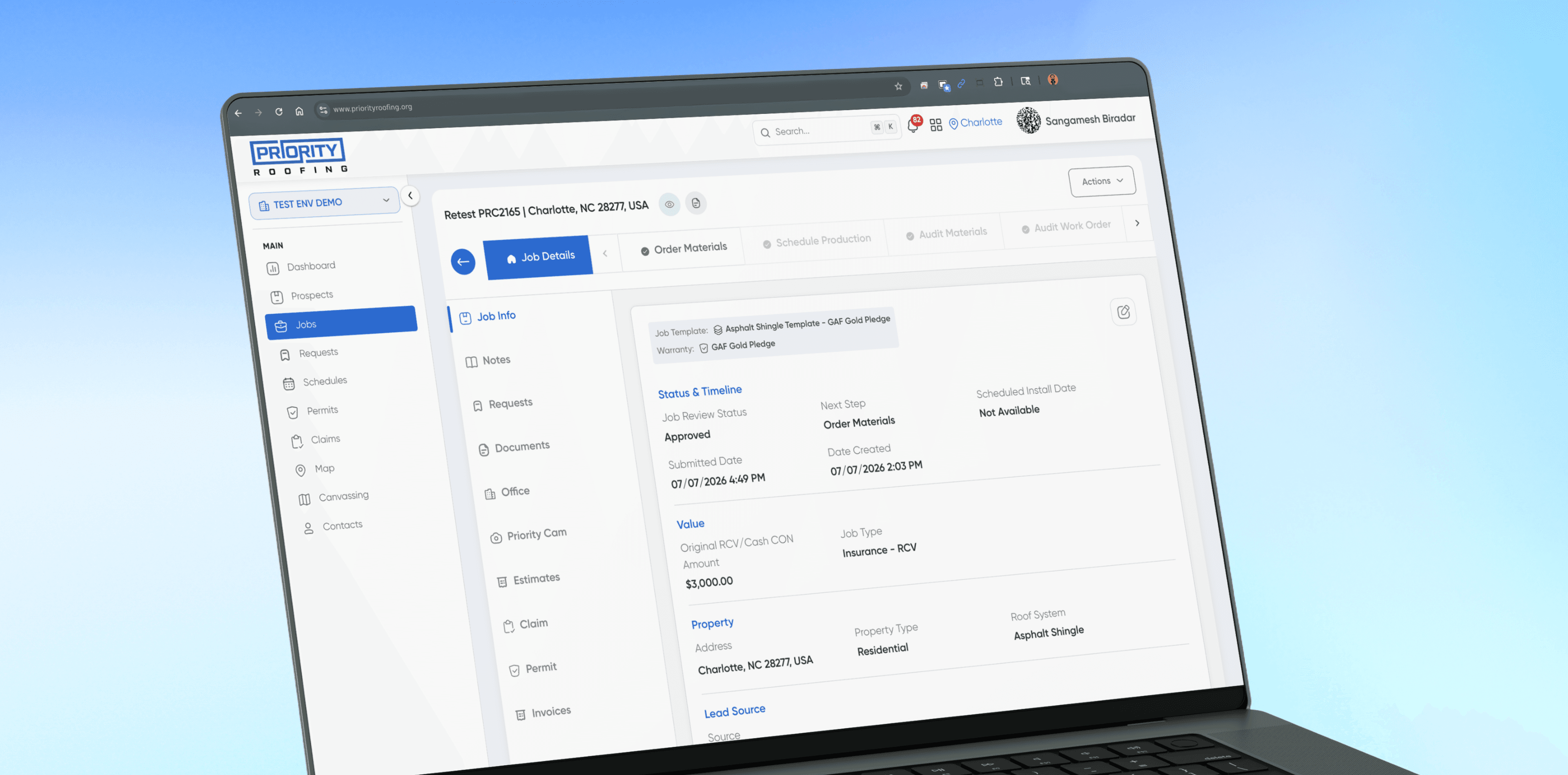
The First Version of the Job Module
Priority Roofing ran jobs across two disconnected systems: customer and job info in QuickBooks, everything else, material orders, crew details, fees, invoices, scattered across Excel. The first version of the Job Module closed that gap: one CRM, one job record, one place every role could open instead of three.
It shipped with the fields every role needed: customer details, job type, assignments, status. Progress showed as a timeline, a log of what had happened, ordered by date. Job-specific actions, requesting materials, logging a payment, pulling a commission, lived wherever the CRM's general navigation put them, not attached to the job itself.
100%
reduction in spreadsheet dependency across Back Office & PM teams
40%
faster job coordination, Sales handoff to first Back Office action
3 wks
to daily adoption across Back Office and Project Manager roles
min → sec
to locate a contract or insurance scope inside the job
The first version did what it was built to do: replaced the spreadsheets, gave every role one place to look, shipped fast enough to start collecting real usage. It was never meant to be final, it was the baseline the next version would be designed from.
Faster Coordination, Tracked From Week One
Before the user research that shaped the redesign, we tracked one operational number in week one: how many jobs moved from Pre-Production to Post-Production with a coordinated, on-time handoff, rather than stalling between roles.
Pre-Production → Post-Production
Faster coordination nearly doubled within the first week.
In week one, the share of jobs moving Pre-Production to Post-Production with a coordinated handoff rose from 20% to 38%, an early sign the module was changing how work moved, ahead of the deeper research that followed.
We Went Back to the People Using It
Once the first version had real usage, we went back to the three roles who open a job daily, sales, back office, project managers, to test it against how they actually worked. Two methods ran in parallel: a task-based usability test on the live page, and a pilot survey on what the CRM still didn't do for them.
CUSTOMER 1:1 SESSION
3 roles · 9 questions
I sat with each role and walked their actual experience using the CRM, not the documented process, anchoring each session on questions built from their own feedback.

Sales Reps
First contact → handoff
Since the CRM launched, how do you check in it whether a deal actually moved forward?
What do you open in the CRM before telling a homeowner what happens next?
When a customer calls for an update, where in the CRM do you look first?
Back Office
Materials, audits, commission
Walk me through everything you do in the CRM after a job is submitted.
How does the CRM tell you a job is ready for you to act on?
What do you still keep in a spreadsheet because the CRM doesn't hold it?
Project Managers
Scheduling, crews, inspection
How does the CRM help you decide which job to schedule next?
When a job stalls, does the CRM tell you, or do you find out some other way?
What would you need the CRM to show you the moment you open a job?
THE GUIDING QUESTION
What would it take to make the Job page the one place every role could see the whole cycle, act on it, and never have to leave?
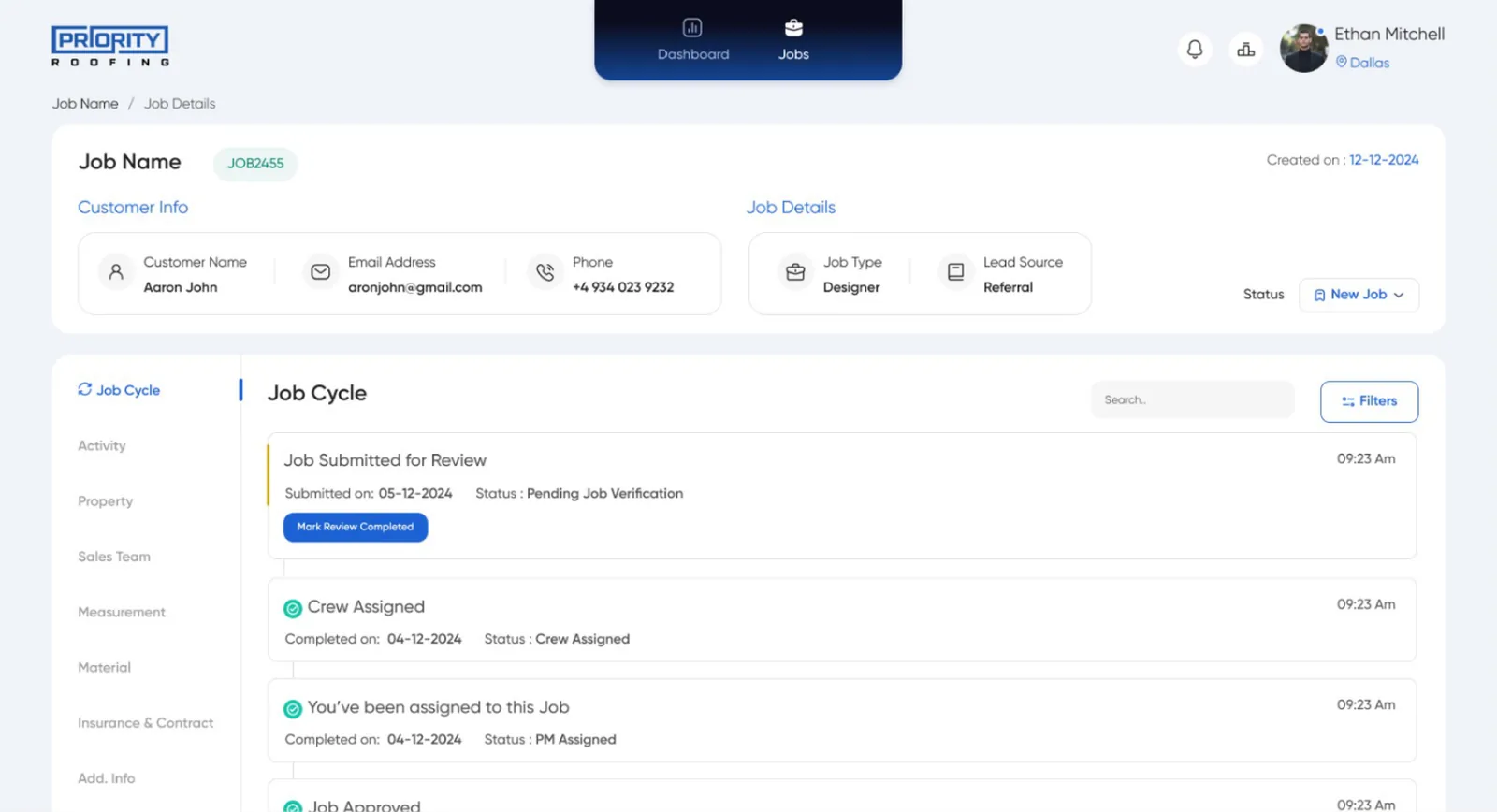
The page showed a status. It never showed the cycle
A rep could see a deal had closed, back office a job submitted, a PM a job scheduled. None could see the rest of the cycle: stages done, stages ahead, or what data belonged to any of them.
Frequent actions took too many clicks to reach
Calling a customer, pulling directions, adding a calendar hold, fixing an address, small tasks done on almost every job, all lived outside the job, in general navigation. Every session showed the same pattern: leave the job, find the action, come back.
Important job actions were easy to miss
Requesting a payment, pulling a 3.5% commission, ordering a satellite measurement, these mattered as much as anything else on the job, but nothing in the interface treated them that way, people found them by memory.
Specs and roof context meant leaving the job to find them
Job specifications and the roof itself were the two pieces of context people reached for most, and both required navigating away from the job, or out to the map.
Four gaps, one shared cause: the page showed information but wasn't built around how people actually worked, in sequence, with frequent actions close at hand and context available when needed. That's the redesign this research set up.
Five Decisions, One Goal
Individually, the findings pointed at different parts of the page. Together, they became five decisions, and one shared goal.
Replace the history log with an end-to-end Job Cycle.
A timestamped log said what had happened. It never said where the job stood or what came next.
Keep Job Details as the anchor.
People expected Details to be the first thing they saw, and the page they could always return to without losing their place.
Add Quick Actions for the tasks people repeat on every job.
Calling a customer, getting directions, scheduling a visit, fixing an address, these happened on almost every job, none lived where the job did.
Give job-management actions a dedicated, visible place.
Requesting a payment, pulling a commission, ordering a measurement carried real weight but had no clear place in the interface.
Surface specs and roof context directly inside the job.
Specifications and the roof itself were what people reached for most, and both required leaving the job to find them.
THE GOAL
Give the Job page one job: show the whole cycle, and put whatever each stage needs, information, actions, context, right where people are already working.
The Job Page, Rebuilt Around How People Actually Work
This wasn't about adding more surface area. It was about putting the right thing, progress, information, frequent actions, management actions, context, exactly where people needed it, and nowhere else. Six pieces came out of that.
End-to-End Job Cycle
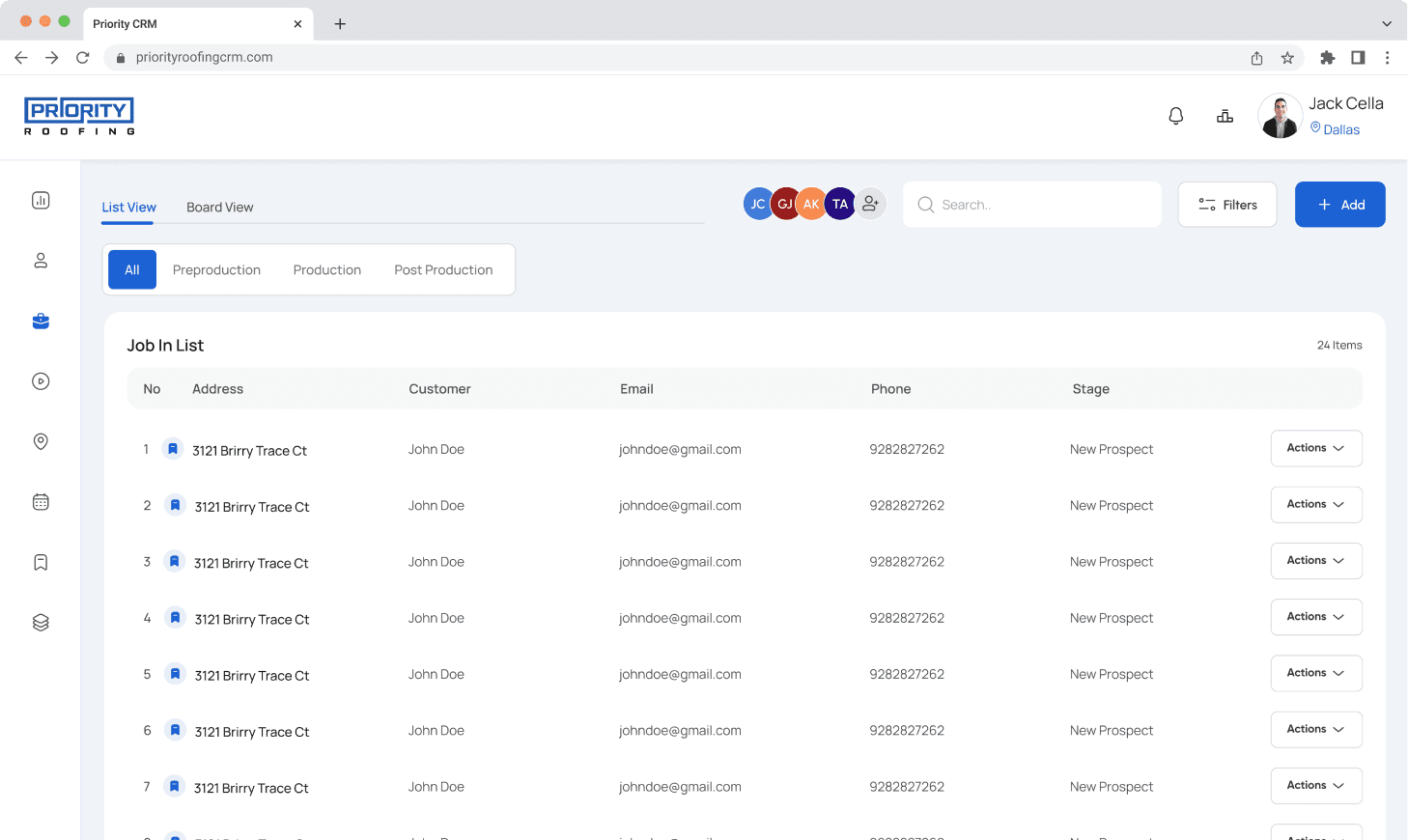
The history-style log became a horizontal pipeline of the real stages a job moves through, stage done, current, ahead, always visible across the top of the page. Instead of reading backward through events, the cycle just shows it.
Job Details as the Home View
The page always opens on Details first, customer info, job type, the cycle, all in one view, so nobody has to relocate before starting work. Every other piece, actions, management tools, context, sits inside this same view instead of pulling people away.
Actions
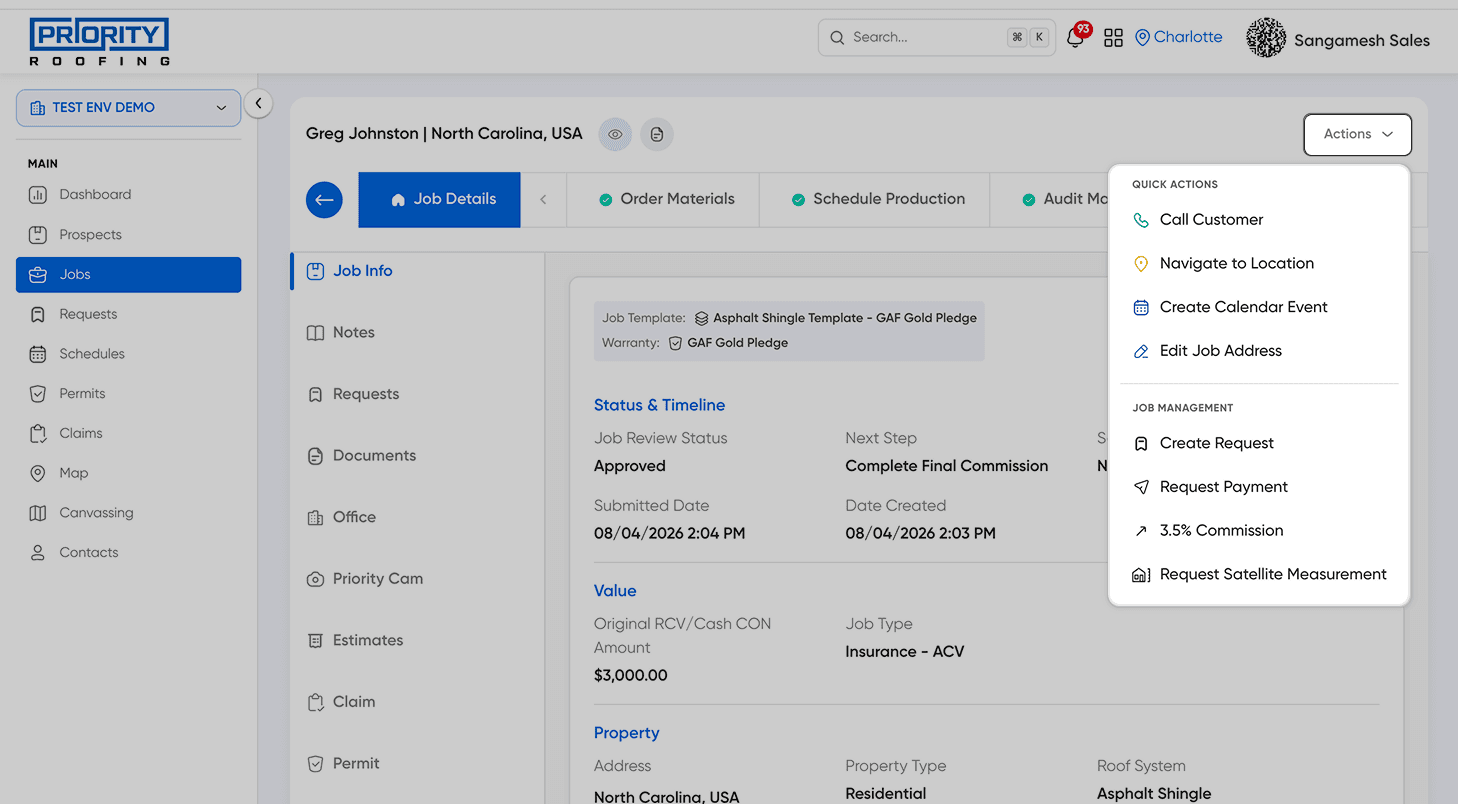
Quick Actions and Job Management live under the same Actions button, grouped by how often each gets used. Quick Actions covers the tasks repeated on nearly every job, Call Customer, Navigate to Location, Create Calendar Event, Edit Job Address. Job Management covers the less frequent, higher-stakes ones, Create Request, Request Payment, 3.5% Commission, Request Satellite Measurement, previously found by memory or not at all.
Job Specification
Specs were one of the two pieces of context people reached for most on a job. A direct access point puts them one click from Details, instead of a search through the record.
Roof Preview From Map View
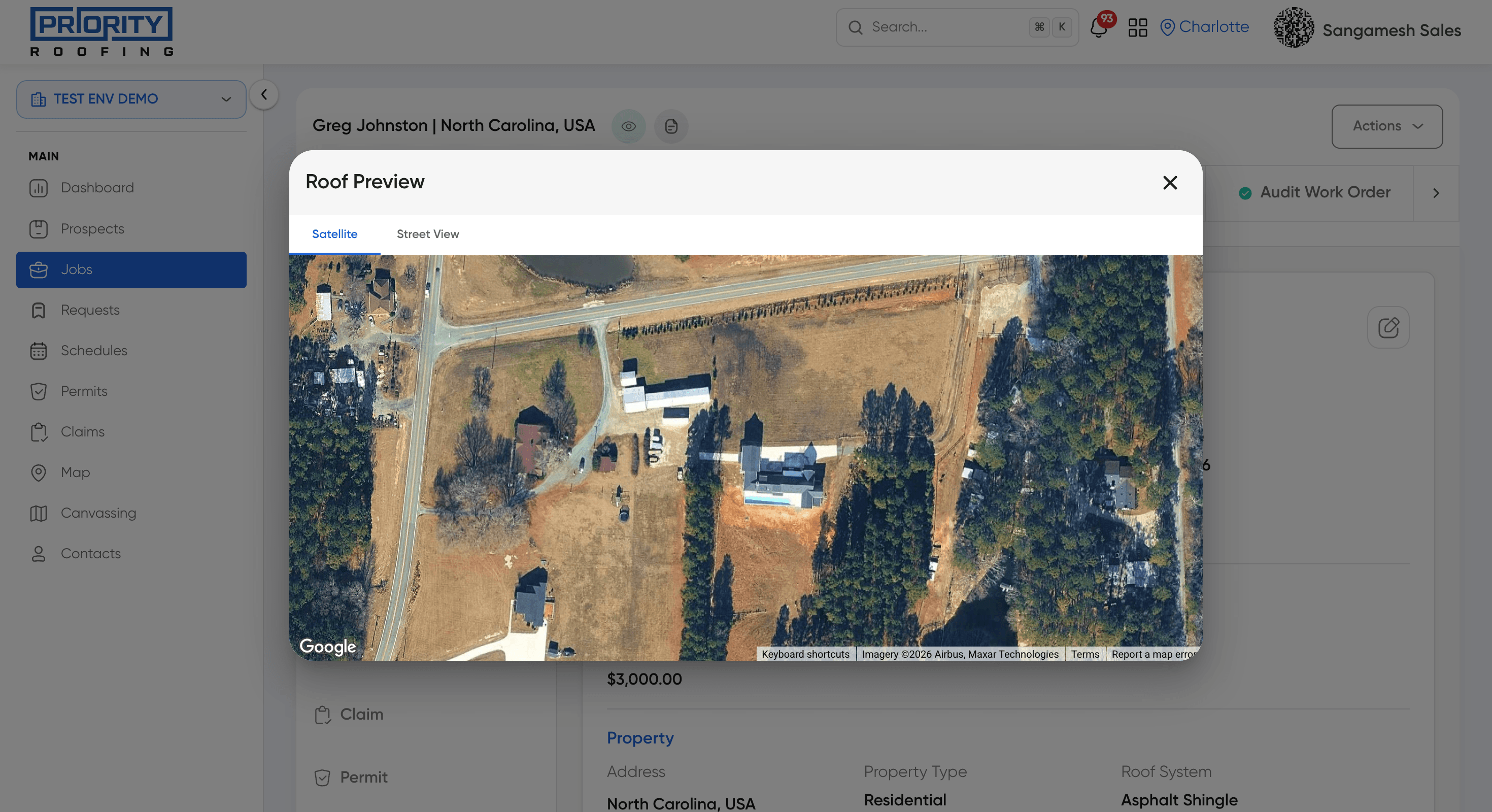
The second piece of context people wanted was the roof itself. Roof Preview surfaces it directly inside Map View, so a person scheduling or scoping a job sees the roof without leaving the map.
Six pieces, but not six equal priorities. Putting them all on the page at once would just rebuild the original problem with more buttons. Each piece sits at a different level of the same hierarchy.
Job Details
The view everything else is built around. Whatever a person is doing, this is where they start and return to.
Job Cycle
Sits inside Details, always visible, answering where the job stands without needing to be asked.
Quick Actions
One tap from Details, for the handful of tasks that come up on nearly every job.
Management actions
Its own space inside Details, for less frequent but higher-stakes operations.
Job Specification & Roof Preview
Available on demand, right when a decision needs them, not competing for attention otherwise.
Underneath all six is one idea: a job's owner shouldn't have to keep leaving the job to do the job, because switching context is where time and accuracy get lost.
THE DESIGN PRINCIPLE
Progress, information, frequent actions, management actions, and context should live in one place, because the job someone is working on is that place.
Impact
The redesign hasn't run its own multi-week evaluation yet, so every projection below traces back to something real. Two numbers come from the shipped UI: every Quick Action or Job Management item is two taps once the Actions menu is open, measured, not guessed. The rest extrapolate from the one real post-launch signal we have: coordinated handoffs closed 22.5% of the gap to their ceiling in week one (20% → 38%), applied as a conservative rate to each baseline metric below.
Relative improvement per metric. Measured baselines and shipped-UI values are marked, the rest are projected, most at the week-1 gap-closure rate.
Spreadsheet check
68→10%
Named next step
3→5 of 12
Steps: payment
6→2
Steps: call
4→2
Audit Work Order
3→1.5 days
Time to next step
38→29 sec
Spreadsheet checks saw the sharpest projected drop.
Job Details and Job Info were built specifically to remove the reason people left for a spreadsheet, so that one's projected more aggressively. The two step-count metrics come from the shipped UI, not a guess. The rest apply the same 22.5% gap-closure rate week one actually produced, a conservative basis, not a best case.
- 013 weeks to daily use by Back Office and Project Managers.
- 02Minutes → seconds to find a contract or insurance scope.
- 03Slowdowns at Audit Work Order became visible, revealing problems leadership didn't know about.