Projects AI Business Communication
One AI Layer for Chat, Documents, and Company Knowledge
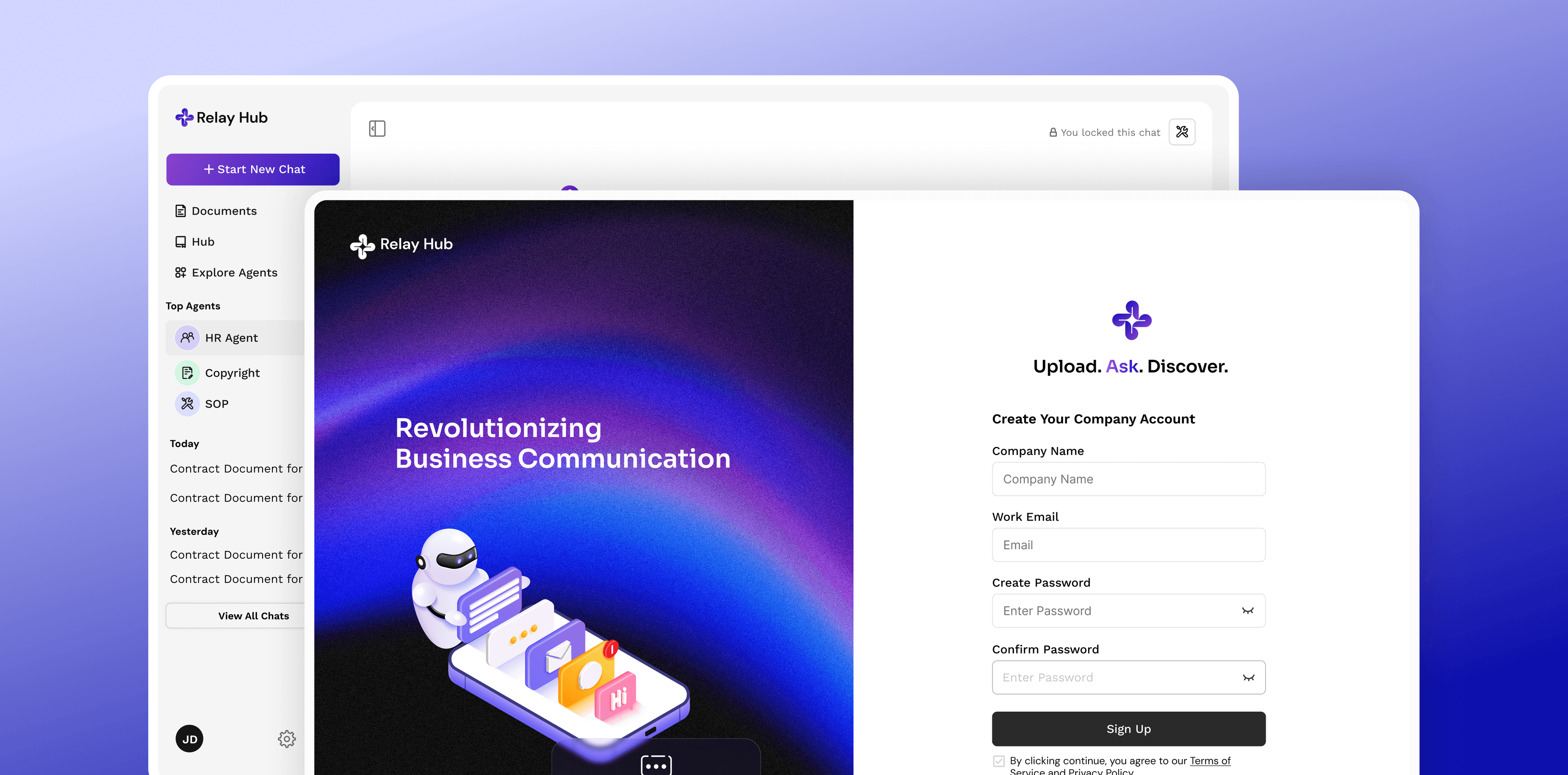
Relay Hub brings chat, documents, and company knowledge into one AI-powered platform, one that only shows people what they're allowed to see.
- Company
- Relay Hub
- Timeline
- 2024 - 3 weeks
- Team
- Developers, Stakeholders, Tester, Product Designer
WHERE THIS IS TODAY
AI is built into every conversation, and grounded in the company's own documents, storage, and past discussions, not bolted on as a separate chatbot.
AI-native
every module reads from and writes to the same AI-grounded knowledge layer
Full
system spanning communication, knowledge, and governance
3
AI reference modes, internal, external, hybrid
A Company's Knowledge, Scattered Across Every Tool
A typical team uses separate tools for chat, documents, and AI. Each does its job well, but none know about the others, or the company. The cost shows up in the gaps: an employee asks in chat what a document already answered, a useful AI conversation disappears the moment the tab closes, a new hire spends weeks just finding where things live. And whenever leadership considered letting AI read company documents, one question stalled everything: who's it allowed to see, and on whose behalf?
“Every AI conversation I have is genuinely useful for about ten minutes, and then it's gone. Nobody else on my team ever sees it, and I'll probably ask the same question again next month.”
One Root Cause Behind Every Disconnected Tool
I researched chat tools, cloud storage, and standalone AI assistants. Each solved one slice of the problem well, but none treated knowledge, conversation, security, and AI as one connected system.
Chat tools hold conversations, not knowledge
Chat tools are great in the moment, but none treat a conversation or meeting as something the company can draw on later.
Documentation is scattered across drives no one tool can see
Cloud storage and docs tools hold real, current documents, but nothing connects a document to the conversation that needed it, or surfaces it before someone goes looking.
Knowledge stays trapped inside one-off conversations
A good answer worked out in a thread or meeting rarely survives for the next person to find, it just becomes one more thing to ask again.
AI assistants don't know the company
A standalone AI tool knows the internet, not this company, its policies, its customers, or its own past answers.
Security wasn't built for AI
Existing permission systems control who can open a file, not the harder question: what should AI be allowed to say about it, and to whom?
THE GUIDING QUESTION
What if a company's AI wasn't a separate tool starting from nothing, but already knew what the company knew, and what it was allowed to say?
How Long It Took Each Role to Find an Answer
The gap between tools is easy to describe and hard to feel, so instead of auditing tools, I followed real questions through the company and watched what each role had to do to answer them. The same question cost different amounts of work depending on who asked, and that difference is where the product needed to focus.
WHO THE WORK RUNS THROUGH
3 personas

Elena Marsh
Office HRpolicy → onboarding- Age
- 41
- Location
- Austin, TX
- Tools
- Chat, docs, drives
- Tech
- High, non-technical
Owns the policy documents and answers questions one thread at a time. The answers have been written down for years; people ask her anyway, because it's faster than finding the current version across three drives.
MOTIVATIONS
- Wants her time back from questions she has already answered
- Being the person new hires trust in their first week
- Policy applied consistently rather than remembered differently
GOALS
- Answer a policy question once and have it stay answered
- Point people to the current version, not a stale copy
- Get new hires productive without a week of hand-holding
FRUSTRATIONS
- The same five questions arrive every week in five threads
- Nobody can tell which copy of a policy is current
- A generic AI answers confidently and gets the policy wrong
“The answer is written down. It has been written down for two years. People still ask me, because finding it is harder than asking me.”
STAKEHOLDER SESSION
3 roles · 9 questions
I sat with each role and walked a real question through their actual day, not a documented process, focusing on how the answer was found, kept, and shared.

Office HR
Policy, onboarding
Walk me through the last policy question someone asked you.
Where does the current version of that answer actually live?
What happens to your answer after you send it?
Research Team
Documents, findings
Show me how you'd answer a question spanning several documents.
What do you do with a good AI answer once you have it?
How would you know if an answer came from our documents or not?
Managers
Oversight, access
How do you catch up on what your team worked out this week?
What would have to be true before AI could read company files?
Who decides what the AI is allowed to say, and to whom?
The answer existed; finding it cost more than asking
Almost every question traced back to a document that already had the answer. The problem was never missing content, it was finding it, so the fix was a better way in, not more content.
Good answers died at the end of a session
The company's best thinking happened inside private AI chats and one-off threads, and none of it survived in a form the next person could find.
Permission was the gate on everything else
Every role wanted the same thing, and every manager stalled on the same question. Until AI access could be scoped per person, no amount of usefulness would get it approved.
THE GUIDING QUESTION
What would it take for a question to be answered once, kept where the next person will find it, and shown only to whoever is allowed to see it?
Five Decisions, One Idea: an Agent for Every Task
The product could have been a chat app with search bolted on, or a wiki with a chatbot bolted on. Each decision below is the same one, made in a different part of the product: treat knowledge, conversation, and AI as one system, not three.
Chat, research, and every workspace read from and write to the same shared knowledge layer.
Every module risked becoming its own silo, the same failure as the tools it replaced.
Every response can pull from and cite the company's own knowledge, not just what a model already knew.
A generic AI answer is only marginally better than no answer at all.
Every recurring task gets its own agent, set up for that job and its documents.
One fixed assistant either tried to do every job, or fell short on tasks it wasn't built for.
Connect directly to those sources and pull live, instead of copying files into a new system.
Cloud storage already held the real, current documents.
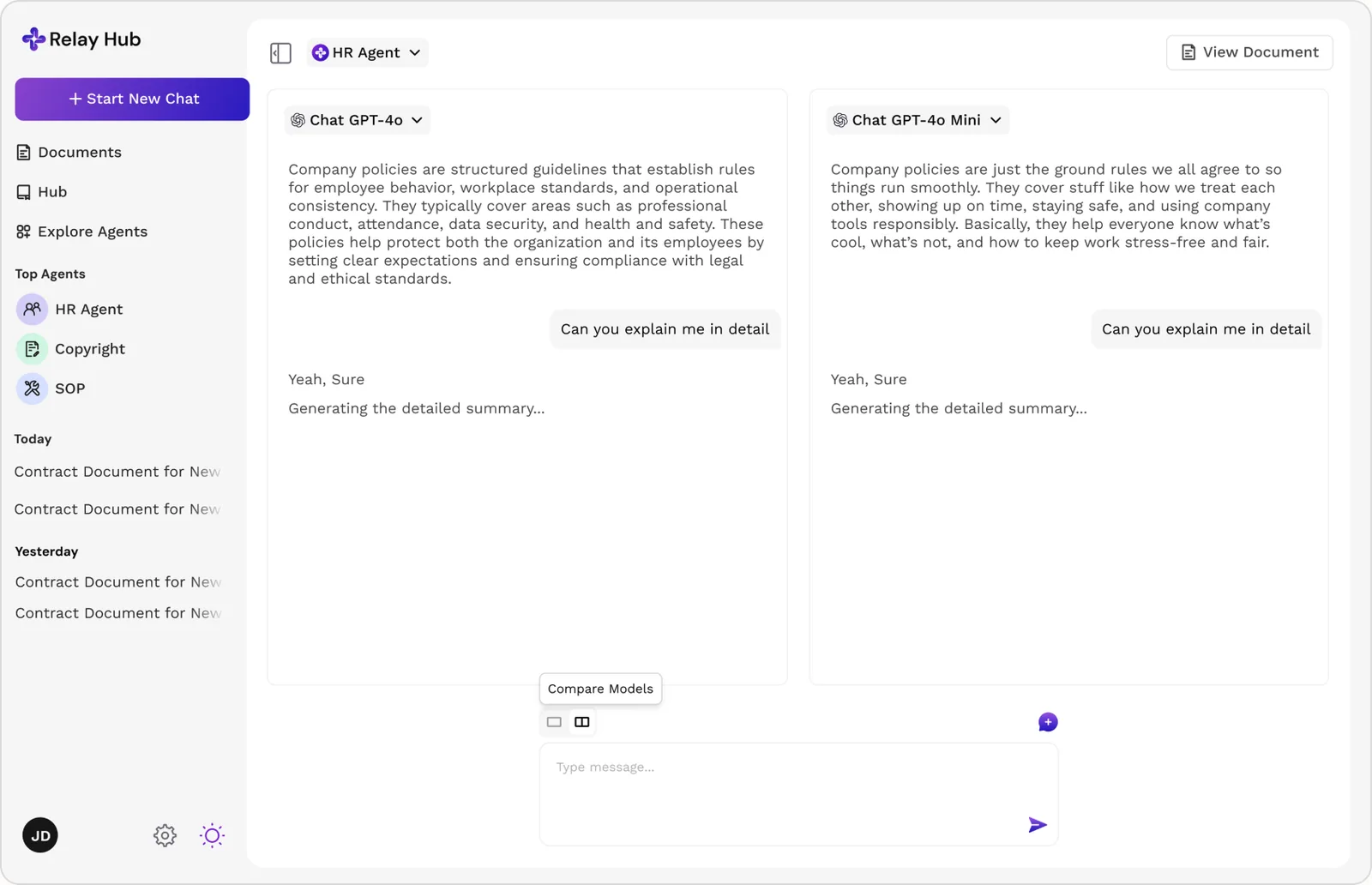
Any conversation can run two models against the same prompt, side by side, before committing to an answer.
Picking whichever model answered first risked picking the weaker answer.
One Path From a Question to a Grounded Answer
An employee opens the agent built for the job, HR, onboarding, research, instead of a generic chat. The question carries their role and access before any search happens, so the agent only pulls from what they're allowed to see: the Knowledge Base, past answers, and connected drives. For bigger questions, they can run the same prompt against two models side by side and pick the better answer.
One Knowledge Layer, With an Agent for Every Task
The system splits into three parts: where people work day-to-day, where knowledge lives, and how collaboration stays governed. Every part feeds the same AI, instead of being three separate products sharing a login screen.
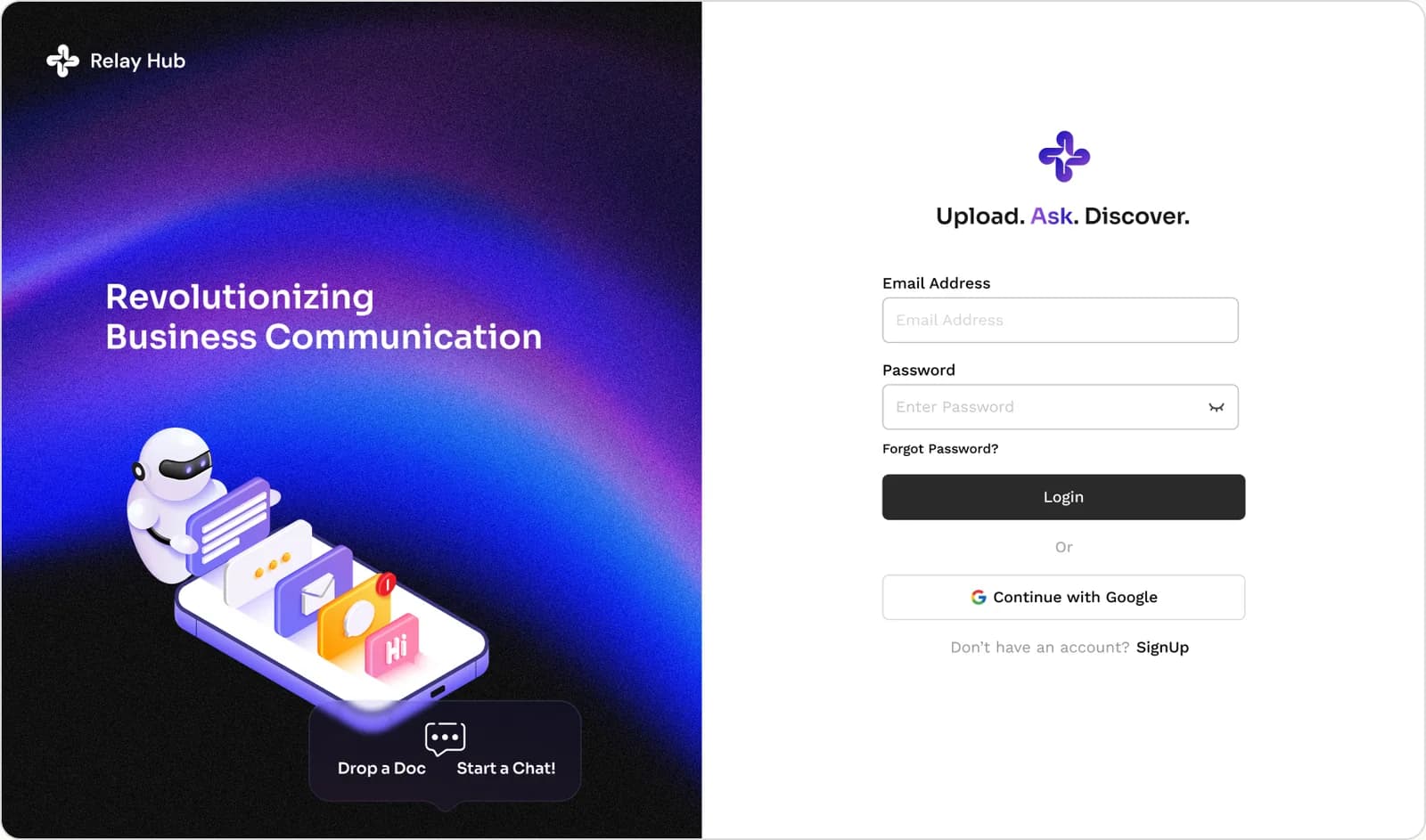
AI Workspace
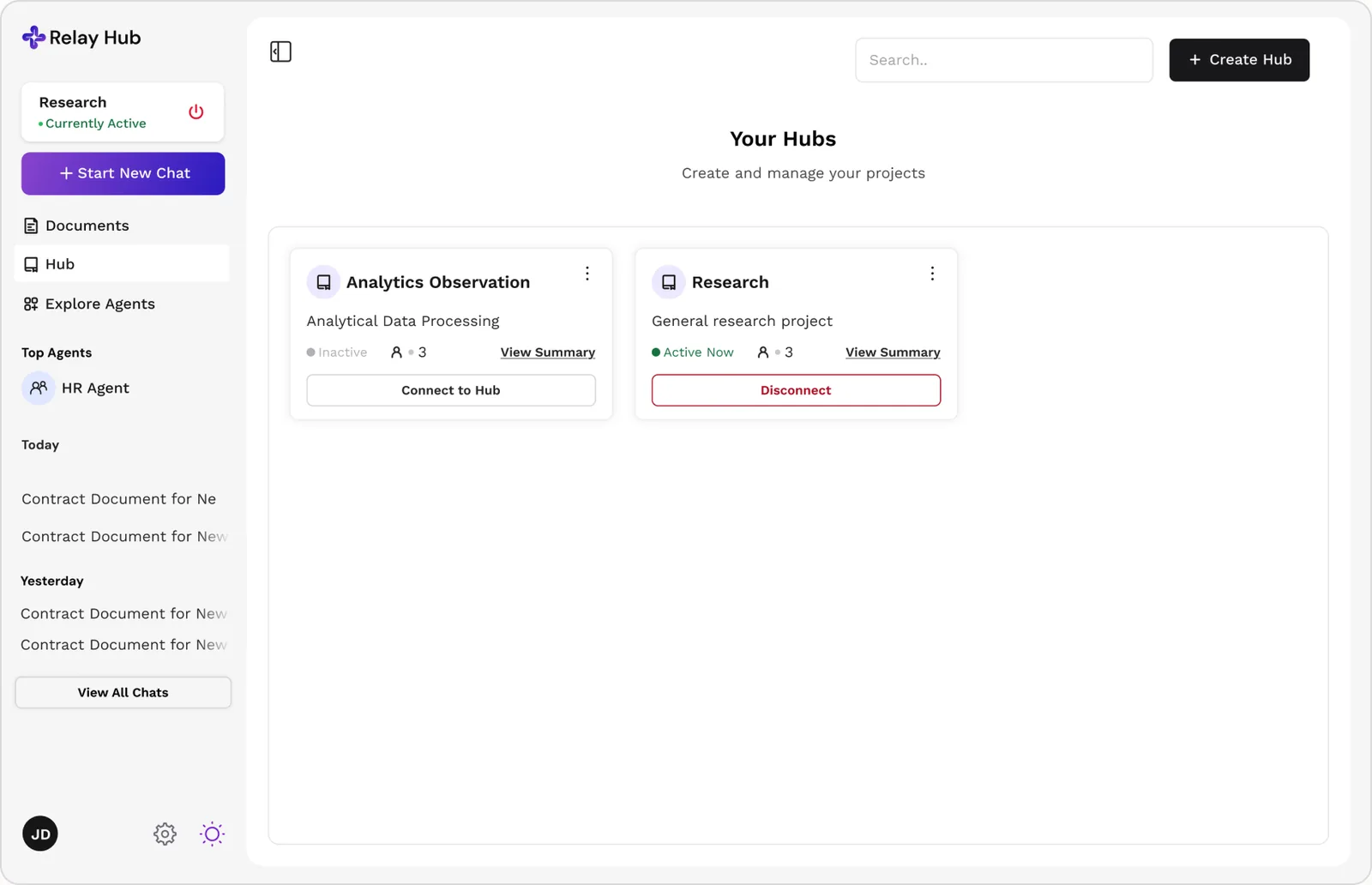
A chat experience that already feels familiar from modern AI apps, built for a business, not a standalone chatbot. A teammate can talk to AI or a colleague in the same thread, continue it across projects, share it with the team, pull in company knowledge, or hand off to a task agent.
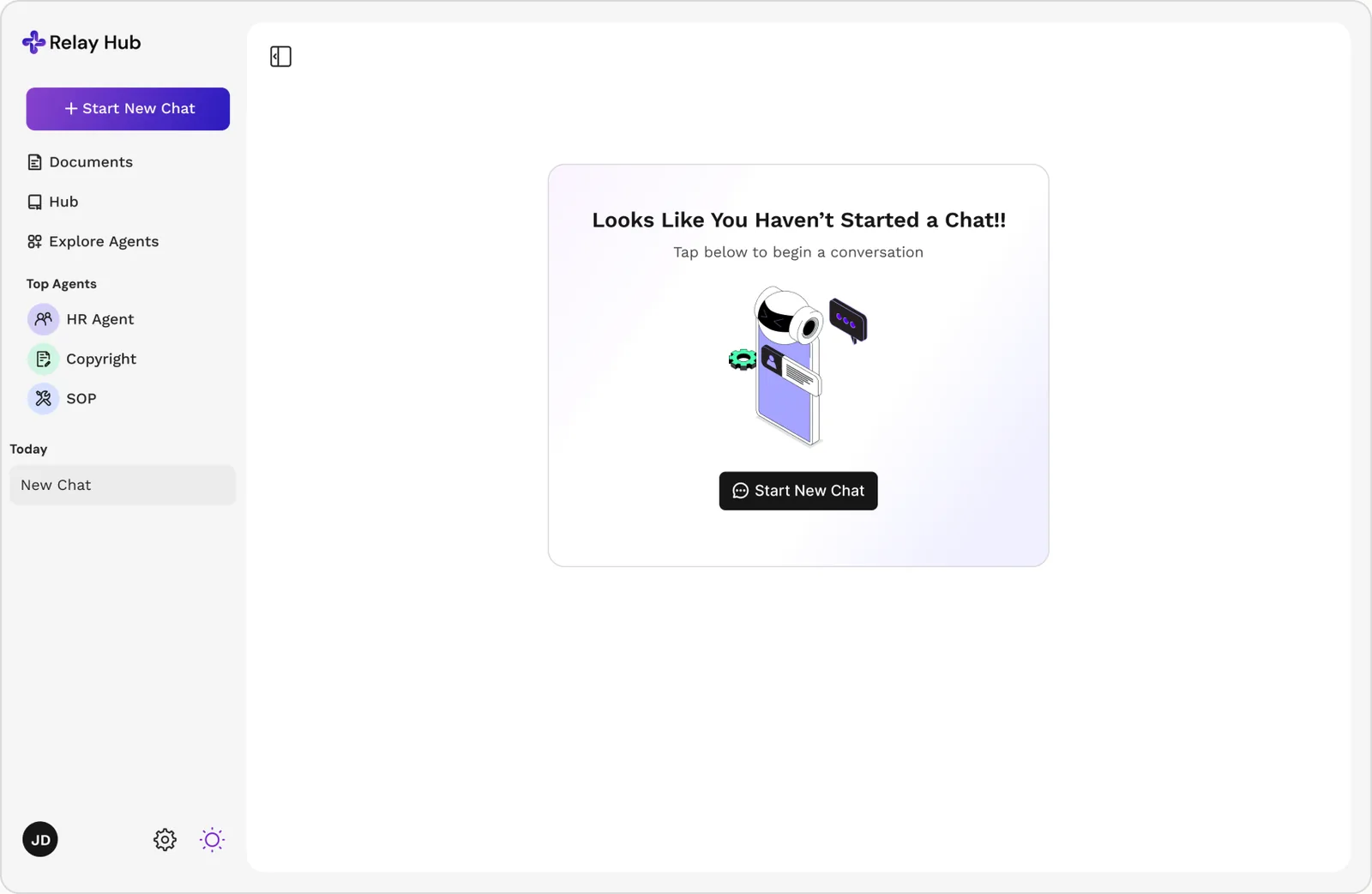
Knowledge Base
The structured home for SOPs, HR policy, onboarding guides, technical docs, research, and customer information, organized so AI can reason over it, not just index it as a pile of files.
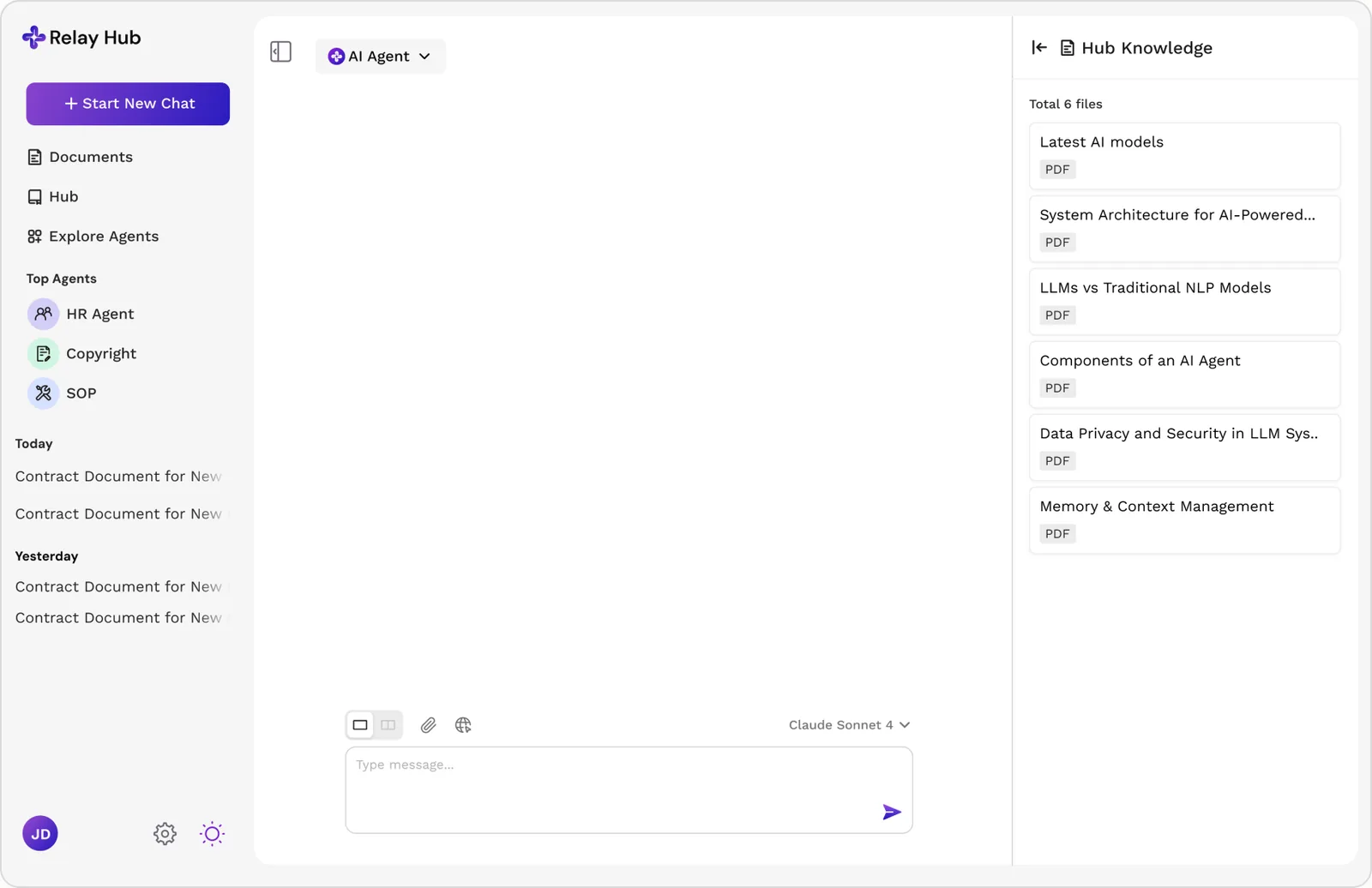
AI-Powered Knowledge Retrieval
Chat is the main way employees reach company knowledge. Instead of digging through folders, they ask a plain question and AI finds, summarizes, and answers in context.
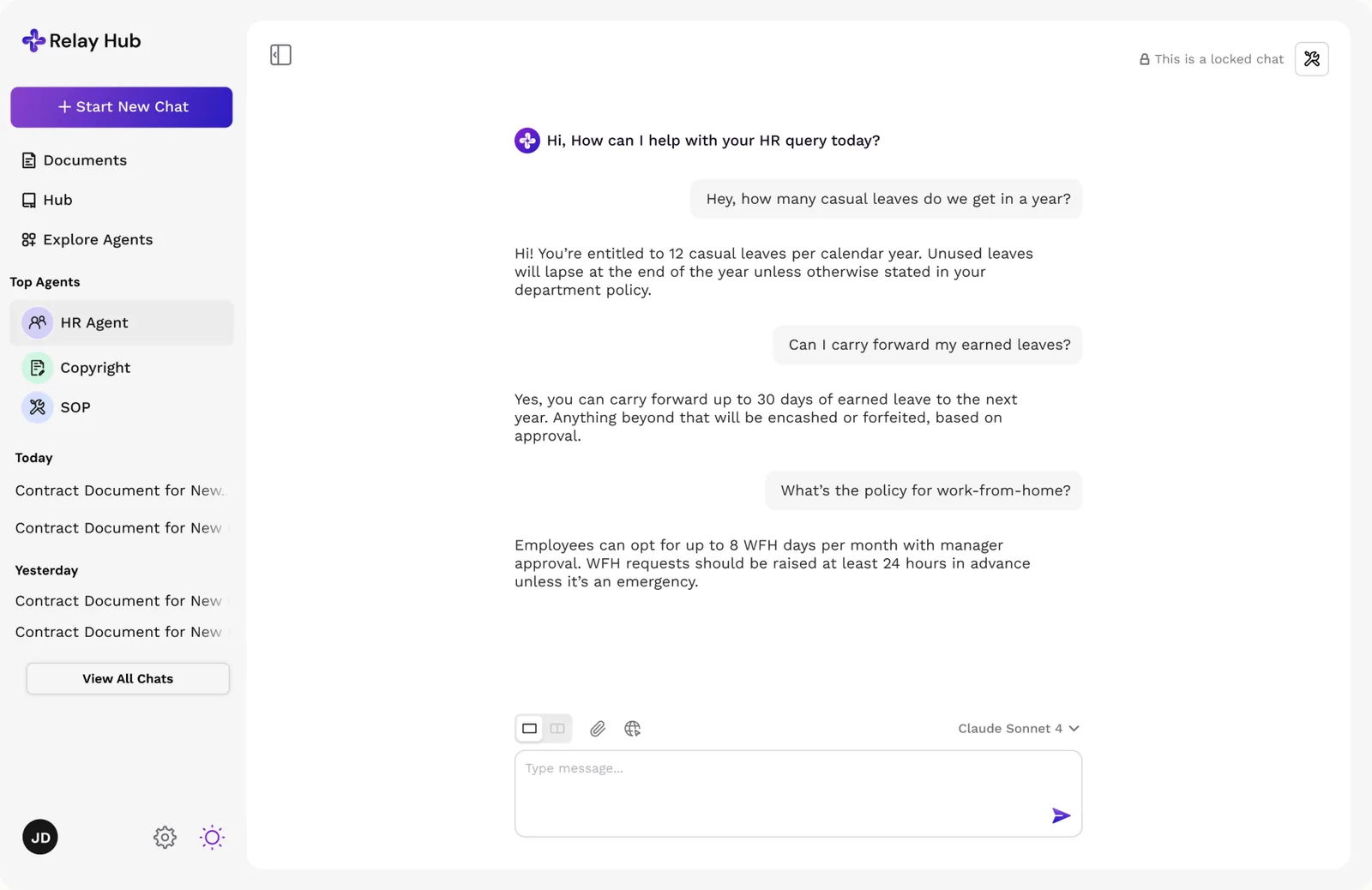
Cloud Integrations
Direct connections to Google Drive and Dropbox. Instead of duplicating documents into a new system, AI pulls straight from wherever they already live, respecting each source's own permissions.
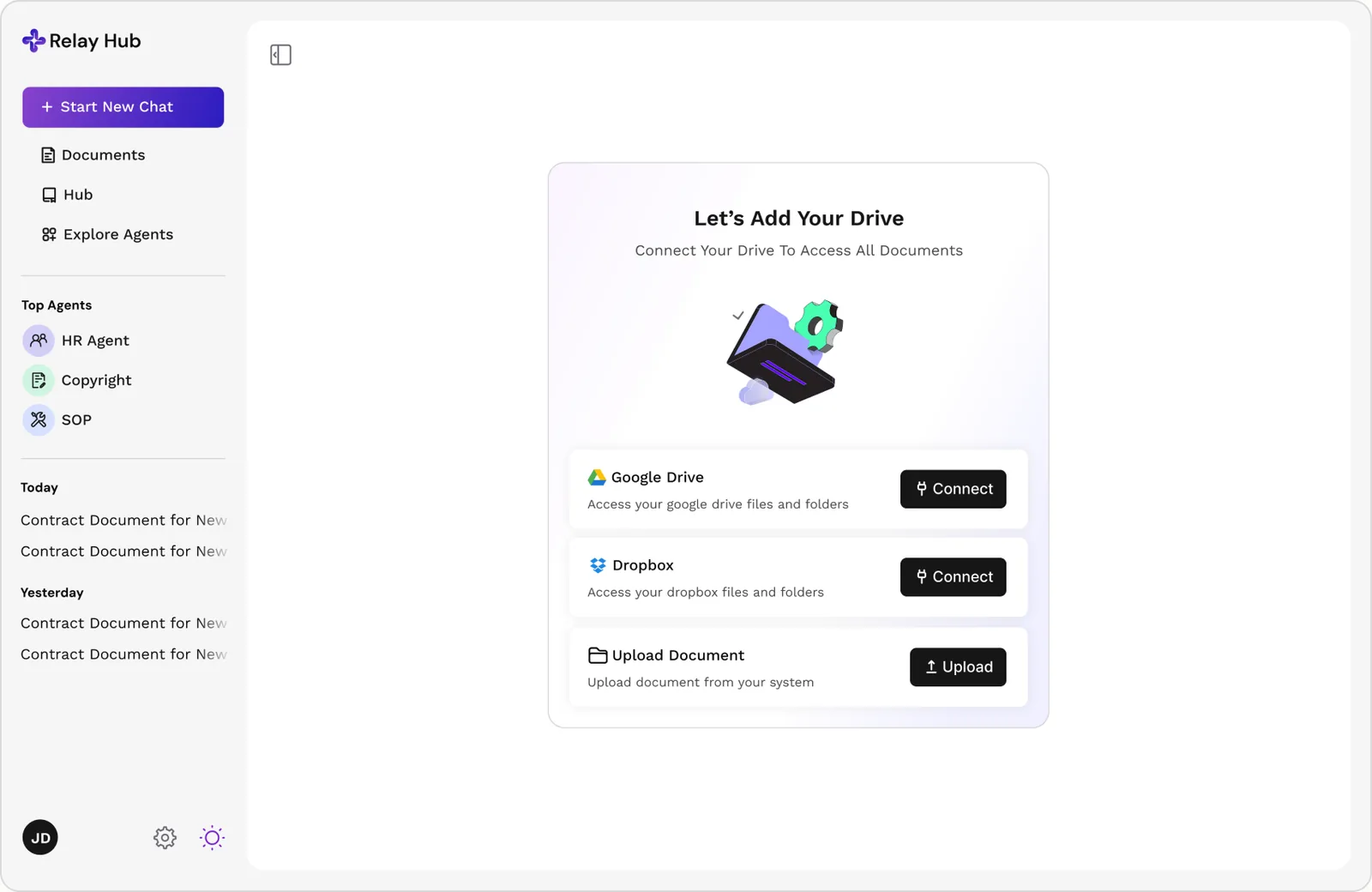
Task Agents
Instead of one generic assistant, a company sets up agents around its own recurring work: HR, onboarding, research. Each is built for its task and scoped to the same permissions and documents as the person asking.
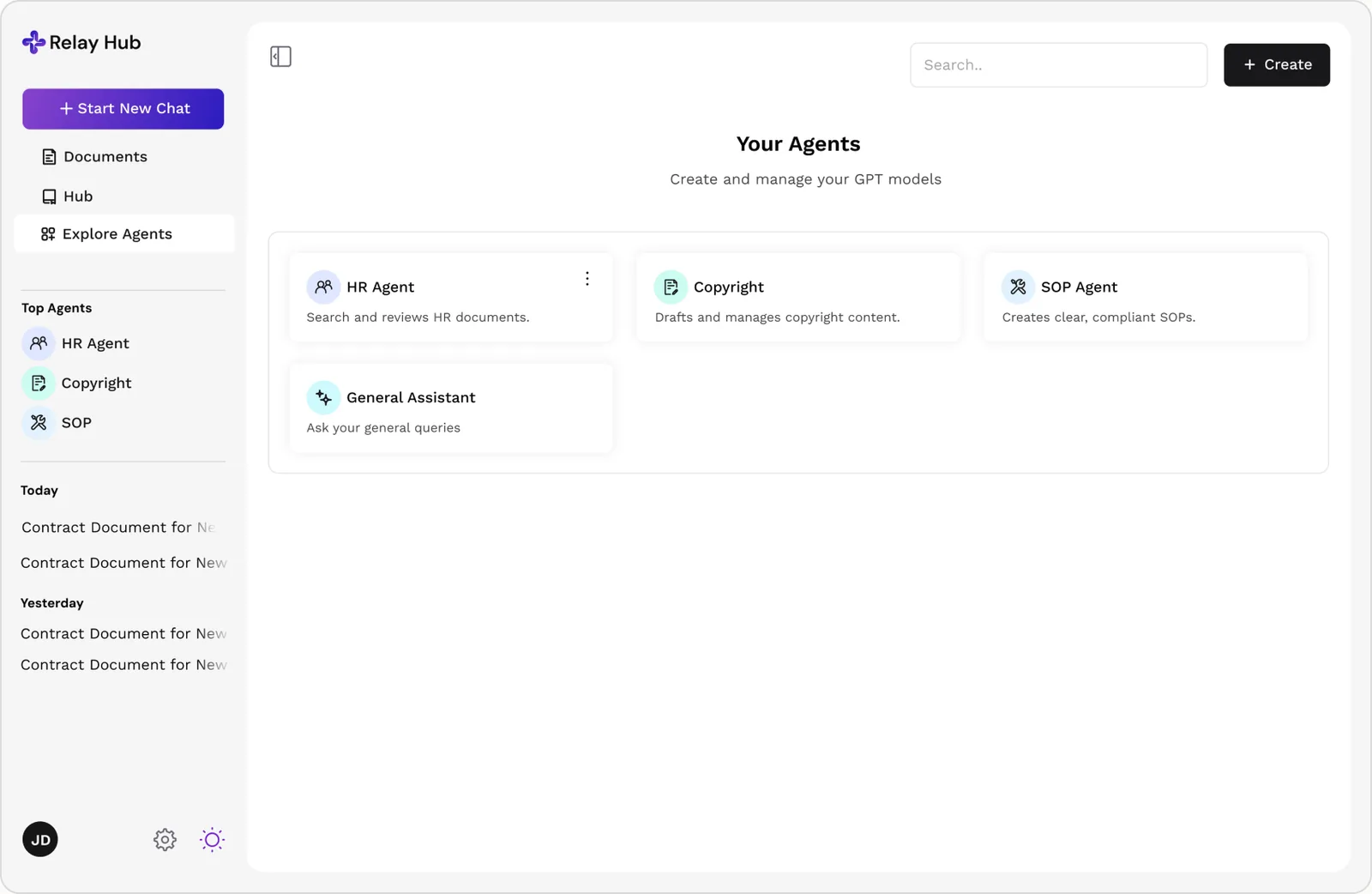
Hubs
Dedicated spaces per project, a research hub, a client hub, any recurring body of work. Each holds its own chats, documents, and agents, so context stays contained to what that project needs.
Model Comparison
Two models can run against the same prompt side by side, so a team can compare answers directly and pick the better one before committing.
What This Is Worth So Far, Measured Where It Counts
This is a working product, not a finished launch, the core flow is built and in use, and we're still refining it. So the honest version of "impact" here is a status report: what's shipped, what's being sharpened, and what's still ahead.
~60% fewer tool switches
2x faster policy answers
~3 weeks faster ramp
Conversations retained
Knowledge has to be the center, or the product just becomes another silo
Early versions treated the Knowledge Base as just one module among many. Once it became the shared foundation every other module read from, the product stopped feeling like a bundle of features.
Trustworthy AI is a UX problem before it is a model problem
The biggest factor in whether people trusted an AI answer wasn't accuracy alone. It was whether they could see what the answer was based on.
Permission has to live inside retrieval, not just at login
Treating access control as something bolted on after the AI works undersells how central it is. Permission became part of every search, not a filter on the response afterward.